Welcome to your command center! The Partner Dashboard is where you will manage every aspect of your Savvy Local presence. Think of it as your digital toolkit for attracting new customers, managing your deals, and tracking your success.
Let’s take a quick tour so you know where everything is and what it does.
The Main Dashboard: Your At-a-Glance Overview
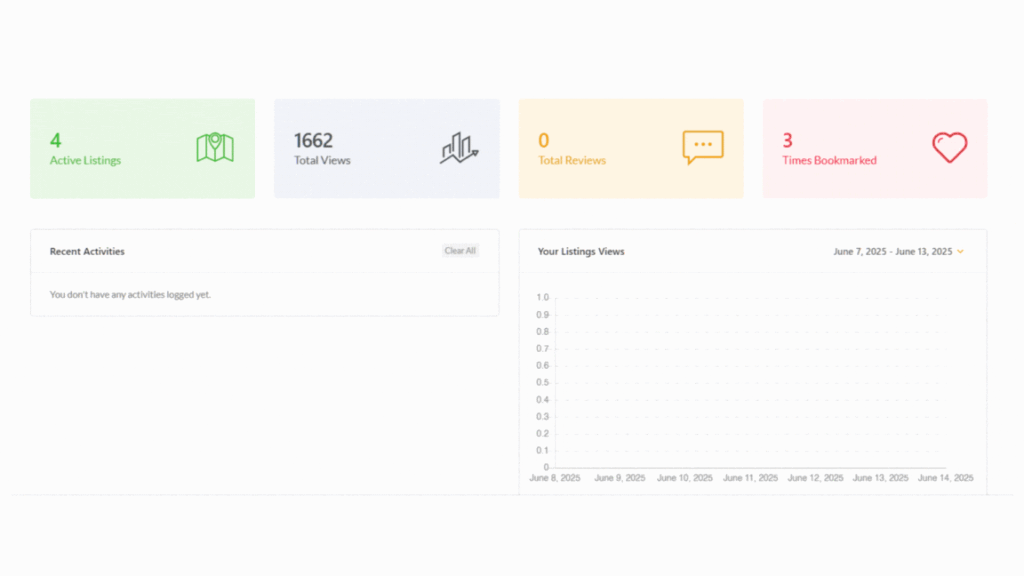
When you first log in, you land on your main Dashboard. This is your high-level snapshot of business activity. Here you’ll find:
- Key Stats: Four prominent boxes at the top show your most important metrics: Active Listings, Total Views, Total Reviews, and how many times your deals have been Bookmarked by users.
- Visual View: A chart or graph that gives you a quick visual representation of your performance over time.
- Recent Activities: A feed that shows your latest notifications, such as new bookings or recently received customer reviews.
Managing Your Day-to-Day: Bookings & Messages
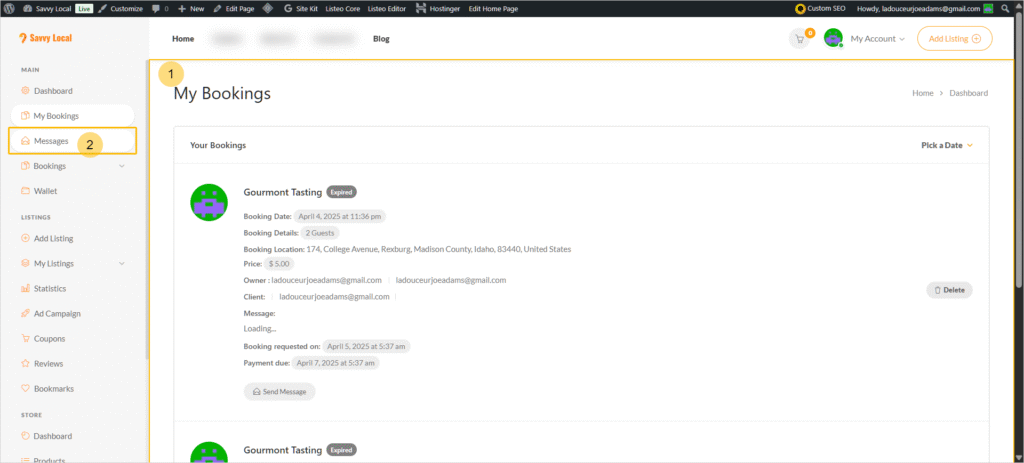
This group of tools is for managing your customer interactions and appointments.
- My Bookings: This tab gives you a list view of all your active and expired booking requests.
- Messages: Your dedicated inbox. Any questions or concerns from customers will appear here, allowing you to reply directly and provide great service.
The “Bookings” Super-Tab: This powerful section contains everything you need to manage time-based deals:
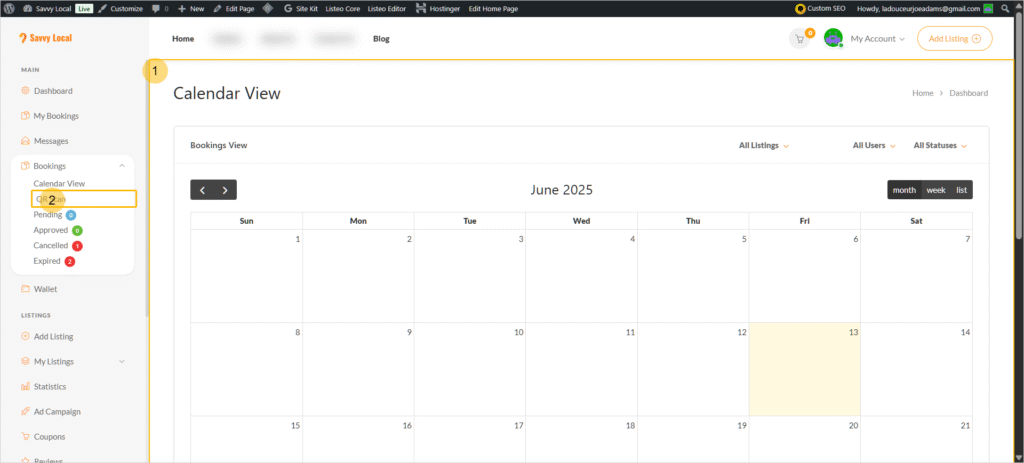
- Calendar View: See all of your upcoming appointments in a clean calendar format. You can filter by status to see bookings that are Pending, Approved, Paid, Cancelled, or Expired.
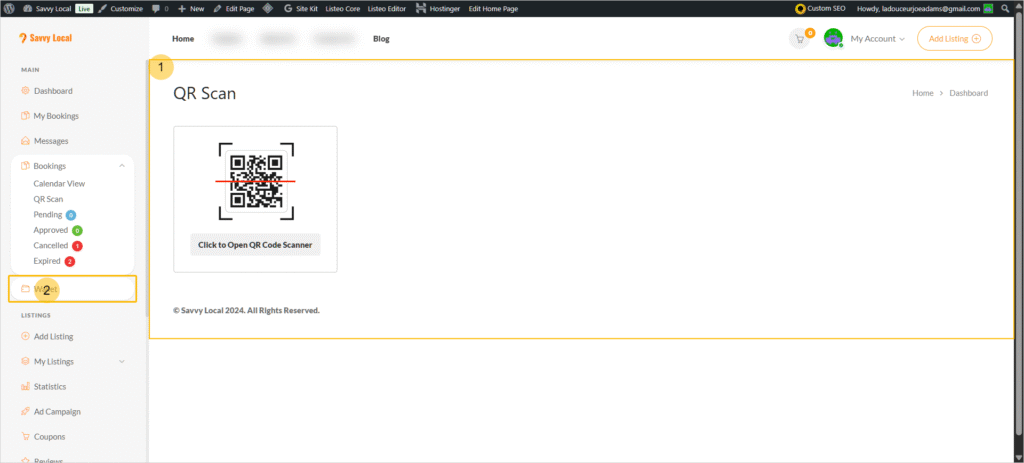
- QR Code Scanner: When a customer arrives, use this tool to verify their booking. Customers receive a unique QR code for their deal; you can use a separate phone or tablet to access this scanner and validate their ticket instantly. (We are working on a major overhaul to bring you even bigger and better features, including a more integrated scanning experience!)
- Booking States: A filterable list view of all your bookings, allowing you to quickly manage requests that are Pending, Approved, Cancelled, etc.
Tracking Your Success: Wallet & Listings
This is where you manage your deals and track your revenue.
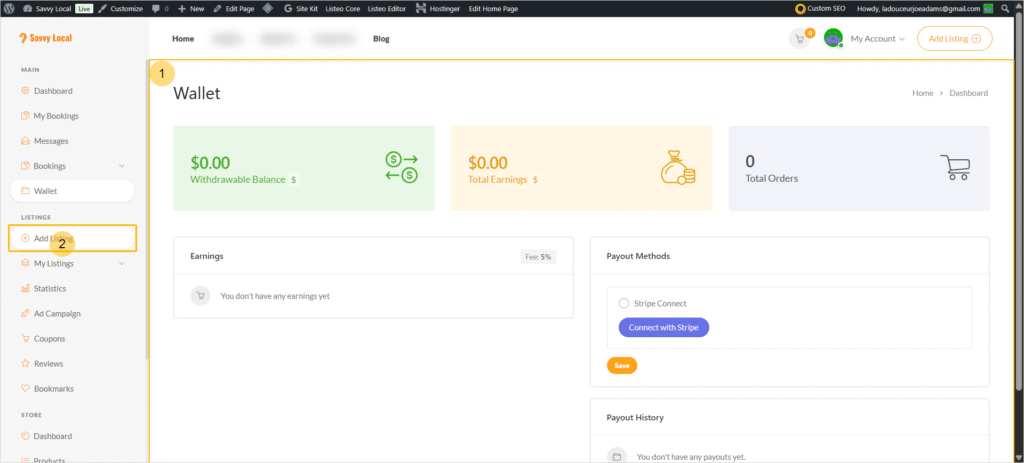
Wallet: Your financial hub.
- See your Withdrawable Balance, Total Earnings, and Total Orders at a glance.
- Click the separate “Earnings” tab within the Wallet to see a detailed breakdown of each sale. This is where you can verify the commission fee applied (5% for Early Adopters or 10% standard). If you notice any issues, please contact us immediately at support@mysavvylocal.com.
Listings: The heart of your Savvy Local profile.
- My Listings: View and manage all your deals here—Active, Expired, and Pending. This is also where you will go to edit a listing if you need to make an update.
- Statistics: Dive deeper into your performance with a more detailed overview of your stats.
Growth Tools & Community Management
Ready to take your marketing to the next level? These tools can help.
- Ad Campaign: A feature that allows you to purchase and run banner ads across our site for maximum visibility.
- Coupons: Want to create a unique, custom coupon code? You can build and manage them here.
- Reviews: See every review left by customers on your deals. From this section, you can write and post public replies to engage with your feedback.
Account & Profile Management
Finally, the housekeeping tools.
- Bookmarks: See a list of deals you have personally bookmarked—a great way to keep an eye on the marketplace for inspiration!
- My Profile: Need to make a change? Come here to update your business logo, password, or the “About Me” description for your business.
What’s Next? Time to Create Your First Deal!
Now that you know your way around, it’s time for the most exciting part: creating your first deal to attract new customers. The first step is to click the “Add Listing” button in the “Listings” tab.
From there, you will choose what kind of deal you want to create. There are two types:
- Service-Based Deals: Perfect for booking-type businesses where customers need to secure a specific time slot for an appointment. (Use cases: Salons, consultants, studios, repair services, etc.)
- Event-Based Deals: Ideal for businesses offering a deal with a set price or a limited quantity that doesn’t require a specific booking time. (Use cases: Restaurant specials, retail discounts, tickets to a performance, etc.)
Choose the path that’s right for your business by clicking on one of the guides below!
➡️ Next Step Option 1: How to Create Your First Service-Based Deal
➡️ Next Step Option 2: How to Create Your First Event-Based Deal